


What Real ERP Integration Means for AP Automation
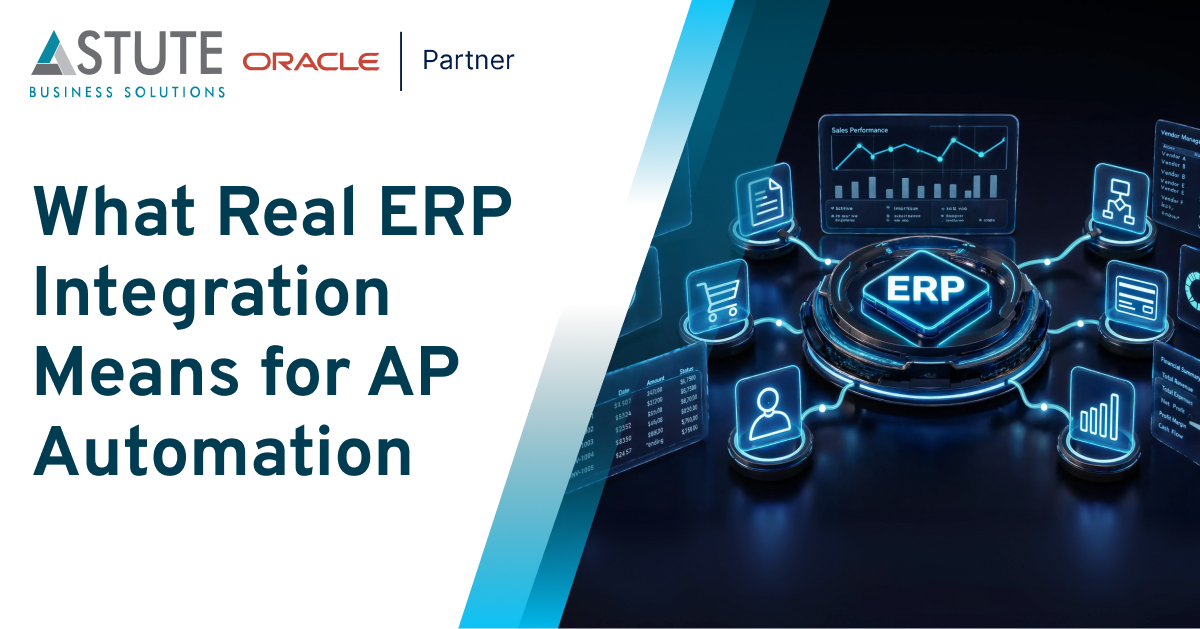
Table of Contents
Every AP automation vendor claims to be “integrated” with your ERP. But not every vendor means the same thing by it.
For finance leaders evaluating automation for PeopleSoft, Oracle EBS, JD Edwards, or Banner, that word deserves more scrutiny than it usually gets. Integration can mean a live, continuous connection to your system of record, or it can mean a file that gets exported and uploaded once a day. Those two approaches can produce very different outcomes, and the difference may not become apparent during a demo. It can show up months later during reconciliation.
This article looks at what “ERP integration” should actually mean and what to check before assuming your AP automation platform delivers it.
Is the Data Live, or Just Synced on a Schedule?
Many AP tools that describe themselves as integrated work from a copy of your ERP data, such as vendor masters, purchase orders, and Chart of Accounts information, that is refreshed on a fixed schedule.
That gap matters more than it seems. A PO closed at 2 p.m. may not be reflected until the next sync. An invoice validated against yesterday’s vendor data could pass checks based on information that has since changed. None of this may look wrong at the time. It can surface later, when reconciliation reveals a mismatch that should have been caught before the voucher was created.
A stronger standard is real-time, bi-directional synchronization, where validation runs against vendor, PO, and accounting data as it exists at the time of processing rather than as it existed at the last refresh. This can help prevent certain exceptions before they occur.
How Is the Voucher Actually Created?
This is where the meaning of “integrated” becomes especially important.
A directly integrated platform can call your ERP’s API once an invoice clears validation, creating the voucher inside PeopleSoft, EBS, JD Edwards, or Banner. There is no need to rely on an exported file or wait for a separate batch process to run.
The next question is what happens after the voucher is created. Does the ERP return a Voucher ID that appears automatically inside the AP automation platform, or does someone on your AP team have to log into the ERP separately to confirm that the transaction was posted?
If the latter is required, the integration may not have removed the entire verification step. It may simply have moved part of the process to another system.
What Happens to Security When the Connection Is Direct?
A direct connection to your ERP’s financial data makes the security of that connection an important part of integration quality.
At minimum, organizations should understand how the connection handles:
- Authentication: SAML 2.0 or OAuth 2.0, along with multi-factor authentication where required
- Access control: Role-based permissions that define what admins, AP users, and suppliers can see and do
- Encryption: Protection for data at rest and in transit
- Auditability: A complete, timestamped record of relevant system and user activity
Speed without appropriate access controls can introduce a different set of risks. The question is not only “How fast is the connection?” but also “Who can do what through it, and can we demonstrate what happened afterward?”
See AstuteAP’s Native ERP Integration in Action
Explore how AstuteAP handles real-time data sync, direct voucher creation, security, and integration across PeopleSoft, EBS, JD Edwards, and Banner.
Does It Change Anything About the ERP You Already Have?
A common assumption is that meaningful integration requires new middleware, a parallel database, or changes to your existing ERP architecture. That is not necessarily the case.
An integration designed around the ERP’s existing API layer can work with the systems and processes an organization already has in place. This can allow existing approval hierarchies, accounting rules, and governance processes to remain part of the workflow rather than requiring an entirely separate process.
When evaluating an integration, ask what changes are required on your side, what infrastructure needs to be maintained, and which responsibilities remain with your IT team.
Does It Hold Up at Enterprise Scale?
An architecture that looks clean in a product demonstration still needs to work under real invoice volumes, across multiple business units, and within an organization’s security and audit requirements.
Peralta Community College District provides one example. The organization used AstuteAP with its existing PeopleSoft environment to modernize invoice processing and went live in 37 days. Astute’s published case study highlights automated invoice processing, reduced exceptions, and improvements in vendor relationships.
For enterprise buyers, examples like this provide useful context when evaluating whether an integration approach can work within an existing ERP environment.
The Astute Perspective
AstuteAP approaches ERP integration as a core part of AP automation rather than a separate connection added later.
The platform is designed to maintain real-time, bi-directional synchronization with vendor masters, PO data, and Chart of Accounts information across PeopleSoft, EBS, JD Edwards, and Banner. Once an invoice clears validation, AstuteAP can create the voucher through the ERP’s API and return the resulting Voucher ID to the AstuteAP workspace.
The connection also incorporates authentication, role-based access control, encryption, and auditability. The approach is designed to work through the ERP’s existing API layer rather than requiring organizations to build an entirely separate infrastructure around the AP process.
Conclusion
“Integrated with your ERP” is a claim many AP automation vendors make. Understanding what that claim actually means comes down to a few concrete questions:
- Is validation running against live data or a scheduled copy?
- Is the voucher created directly in the ERP, or does the process depend on a file export or batch upload?
- How is the connection authenticated, secured, and monitored?
- And has the integration been implemented successfully in environments similar to yours?
Finance leaders evaluating AP automation for an Oracle ERP environment do not have to take “integrated” at face value. Asking these questions can help reveal how a platform actually connects to the ERP and what that connection means for day-to-day AP operations.

Sudhir Mehandru is Co-founder and CFO of Astute Business Solutions. He is leading the expansion of Astute services to include Cloud Managed Services, Disaster Recovery on Cloud, and Integration and Process Automation using Platform Cloud Services. He has over 25 years of experience in Accounting, Finance, and IT Outsourcing, including ERP implementations, Application Hosting, Cloud migration, and the Implementation of complex Financial, Accounting, Manufacturing, Supply Chain, and CRM systems, both on-premise and in the Cloud. His most recent focus is on accounting and finance automation using AI.
Search
Related Posts

Subscribe Our Newsletter
Gain access to exclusive insights, technical know-how and crucial knowledge from Astute experts.
Share Article

See The Team In Action
Upcoming Events
Reach Out